
Add a client workspace
Create a workspace for a new client, with their plan and time zone, ready for their accounts.
Updated 6 stepsFor agency teams
Before you startFor BlueTier's own team, in the agency workspace.
Steps
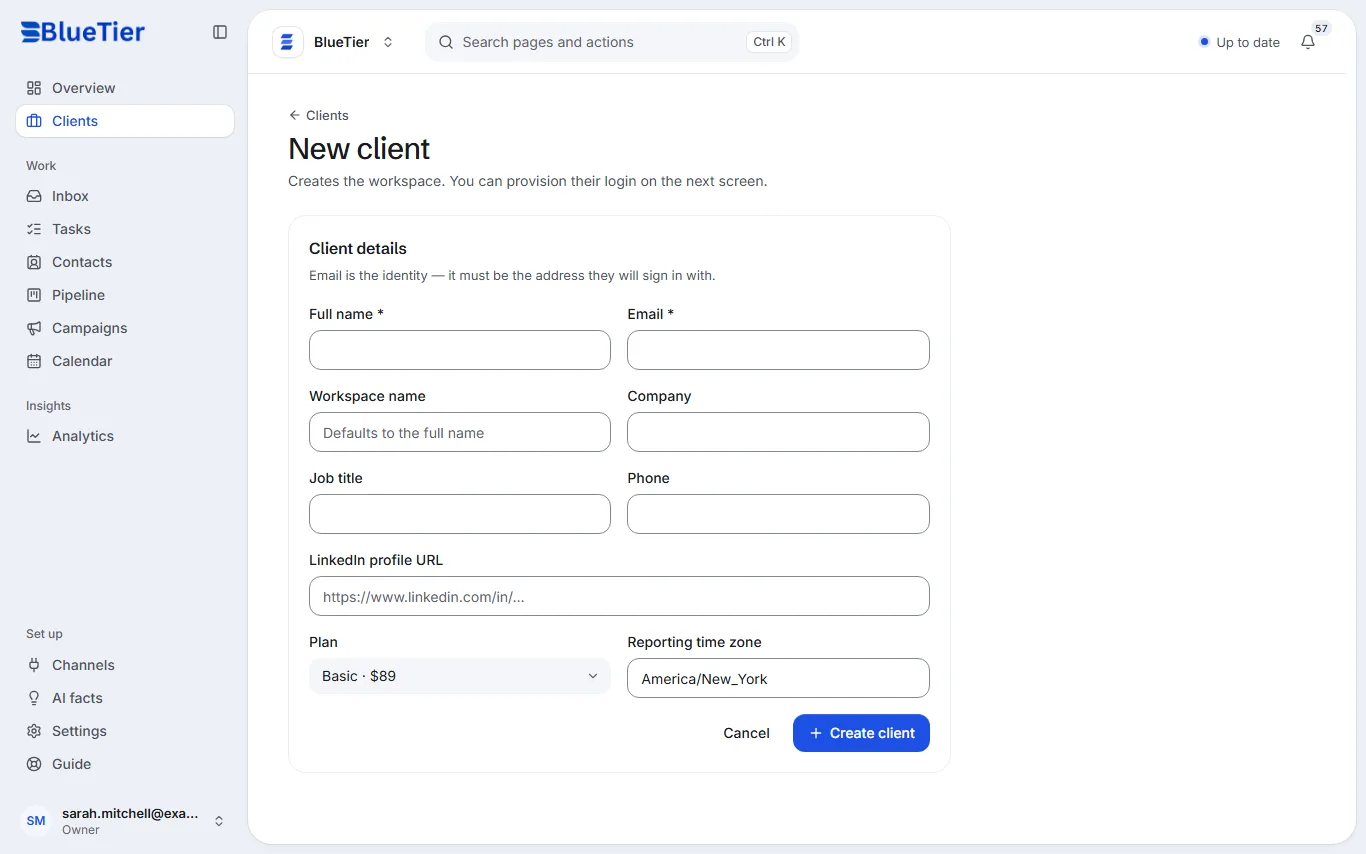
- Open Clients and choose Add a client.
- Enter the client's Full name and Email. The email must be the address they will sign in with.
- Add the Workspace name, Company, Job title, Phone and LinkedIn profile URL if you have them.
- Pick their Plan and Reporting time zone.
- Choose Create client.
- On the next screen, give them their login (see the guide to client access).
What you will see
The client appears in your client list. Until a LinkedIn account is connected, it shows In setup.
Related articles
Still stuck?Contact support at info@bluetier.ai and the BlueTier team will help.