
Invite your team
Add the people who work with you, each with the right role.
Updated 5 steps
Before you startIf you do not see Add someone, ask your workspace owner or an admin.
Steps
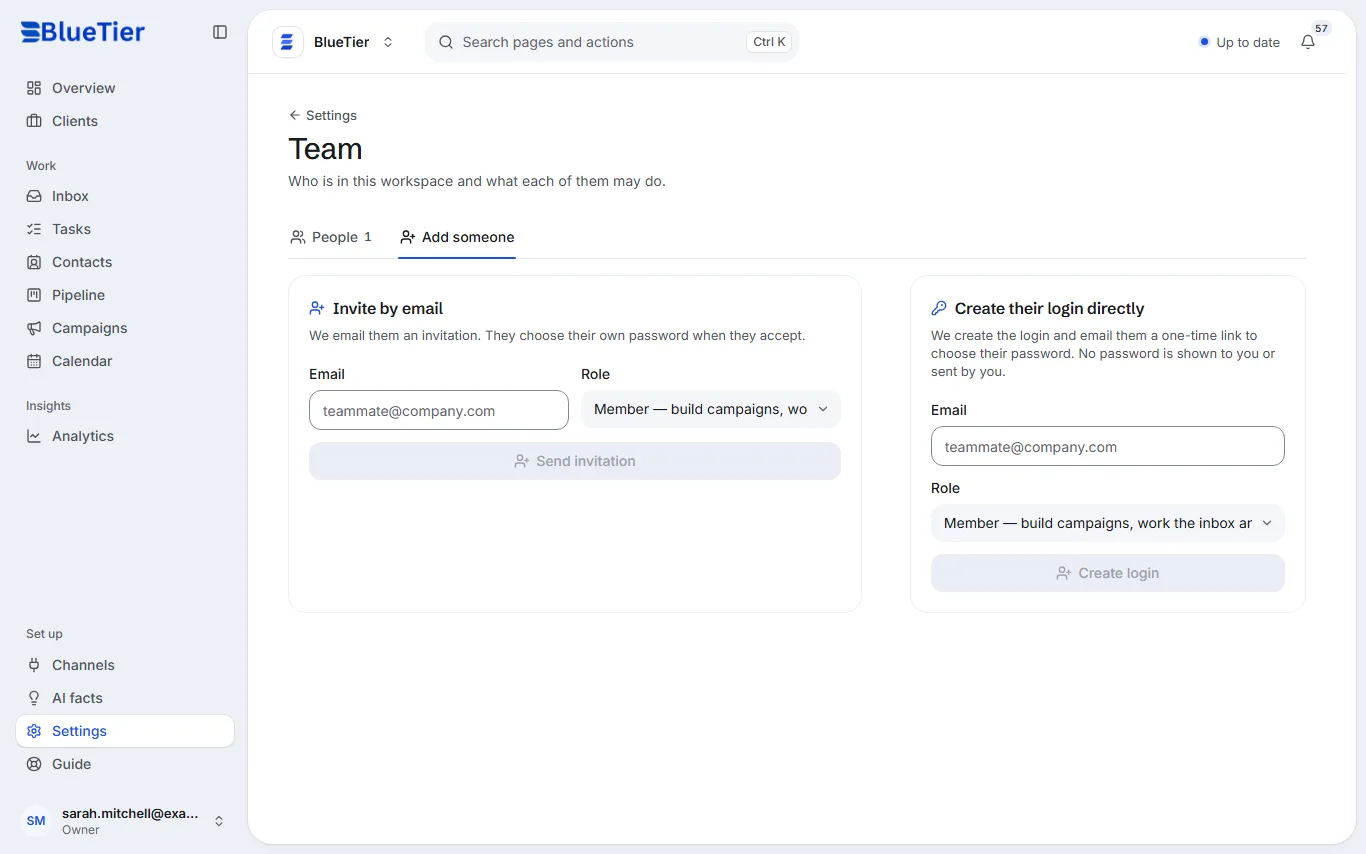
- Open Settings, then Team, then Add someone.
- Under Invite by email, enter their email and pick a Role.
- Choose Send invitation.
- Or, under Create their login directly, create the login yourself: they are emailed a one-time link to choose their password.
- If the invitation email does not arrive, use Send again or Copy link on it.
What you will see
They appear under People once they accept. Each person chooses their own password, and nobody else sees it.
Good to know
- Owner: everything, including other owners. Admin: manage the team, campaigns and settings. Member: build campaigns, work the inbox and contacts. Viewer: read-only.
Related articles
Still stuck?Contact support at info@bluetier.ai and the BlueTier team will help.