
What Lead, Pitch and Noise mean
The AI reads every new message and gives it one of three labels, so the people worth your time come first.
Updated 6 steps
Steps
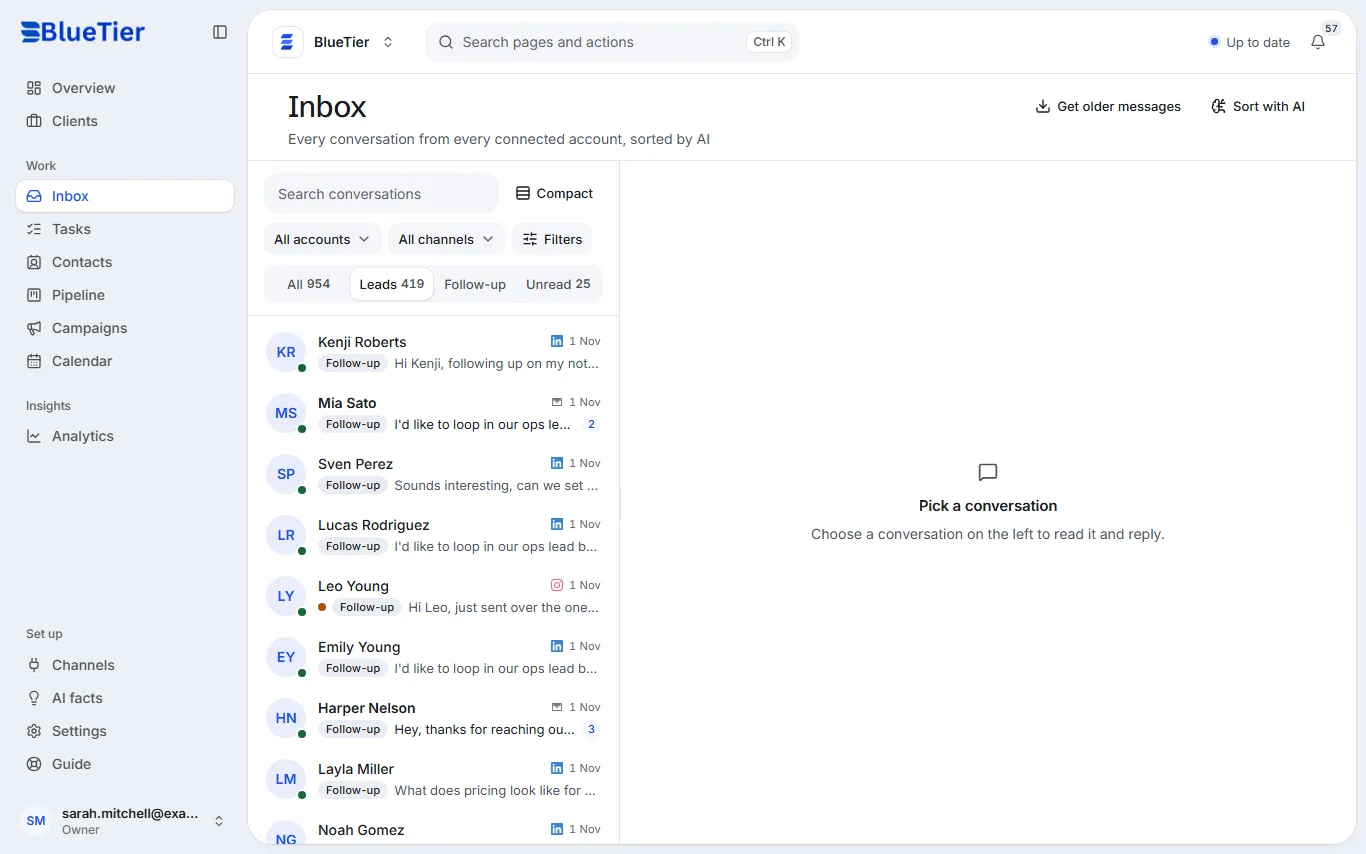
- Open Inbox. Every conversation the AI has read carries a label.
- Lead: a real person interested in what you offer, or in meeting you. Choose Leads above the list to see only them.
- Pitch: someone selling to you, labelled so a pitch never passes for a prospect.
- Noise: messages that are not relevant to your business — automated and system messages and empty pleasantries, set aside in a view of their own.
- To see pitches or conversations marked Noise, choose Filters above the list, then turn on Pitches or Noise.
- If a label is wrong, open the conversation and choose Lead, Pitch or Noise: in the panel beside it on a wide screen, or under More actions (⋯) on a smaller one.
What you will see
The conversation shows its new label and moves to the matching view.
Good to know
- Each message also gets an intent, such as an inquiry or a support request, and an urgency from low to critical.
- Obvious automated messages are filed as Noise by simple rules before any AI reads them.
- Noise has its own filter (Noise, inside Filters), so you can always check nothing real ended up there.
Related articles
Still stuck?Contact support at info@bluetier.ai and the BlueTier team will help.