
Read your Overview and Analytics
What needs you today, and whether your outreach is working.
Updated 5 steps
Steps
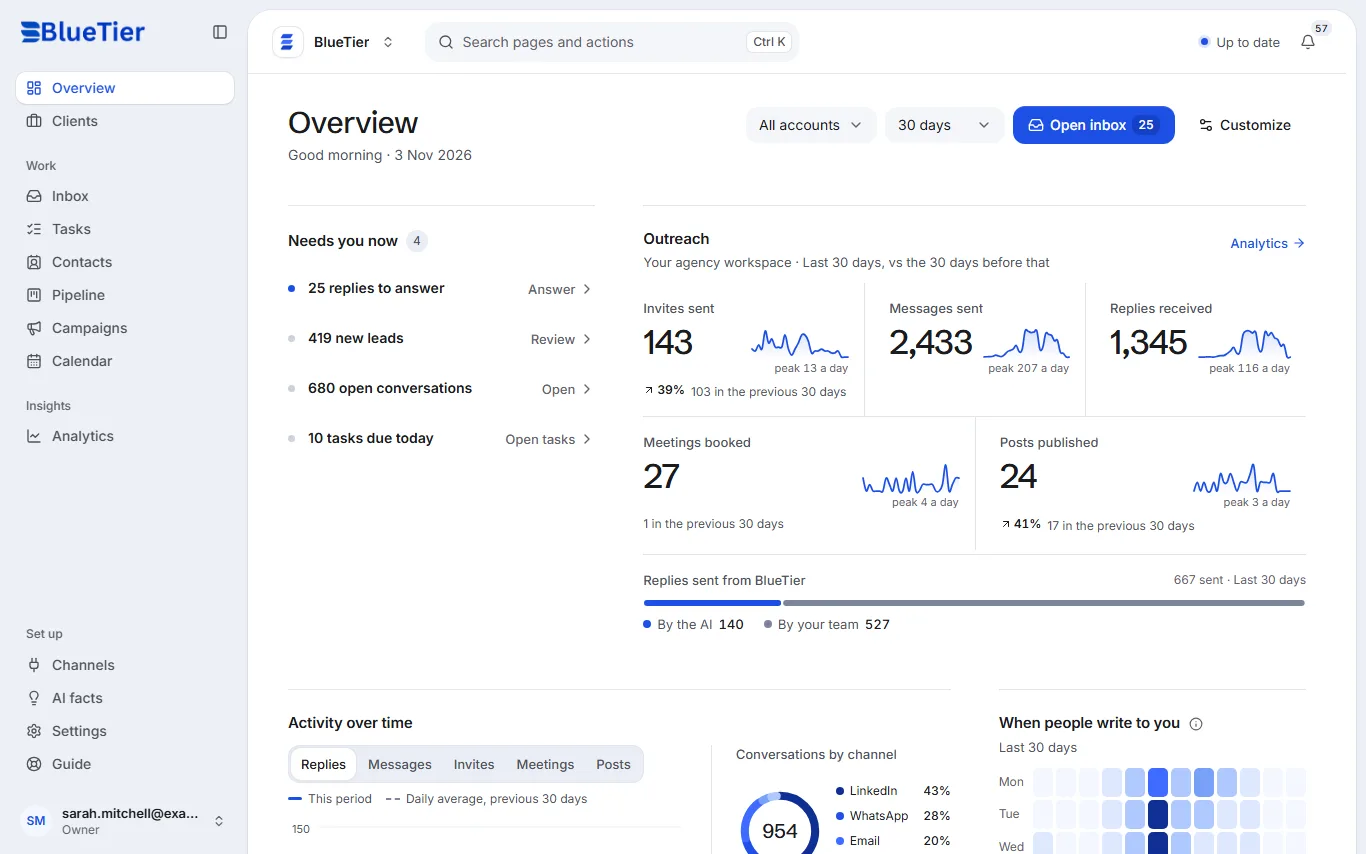
- Open Overview. Needs you now lists the replies to answer, new leads and tasks due today.
- Under Outreach, compare the last 30 days with the 30 days before: invites sent, messages sent, replies, meetings booked and posts published.
- Change the period with the days menu at the top of the page.
- Point at the small ⓘ beside a number to see exactly what it counts.
- For trends over time, open Analytics and choose 7 days, 30 days or 90 days.
What you will see
Each number shows how it compares with the period before, so you can see at a glance what went up or down.
Good to know
- Replies sent from BlueTier splits into those the AI sent and those your team sent.
- Your numbers are seen by your workspace and the BlueTier staff who look after it.
Related articles
Still stuck?Contact support at info@bluetier.ai and the BlueTier team will help.