
Connect your Telegram
Link Telegram with a QR code so its chats join your inbox.
Updated 5 steps
Before you startHave your phone with Telegram on it next to you.
Steps
- In BlueTier, open Channels in the sidebar, then choose Connect a channel.
- Choose Telegram. A QR code appears on your screen.
- On your phone, open Telegram and go to Settings, then Devices, then Link desktop device.
- Point your phone's camera at the QR code on your computer screen.
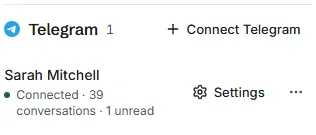
- Return to BlueTier. The account appears under Telegram as Connected.
What you will see
Your Telegram chats arrive in your inbox, and a reply you send from BlueTier goes out on Telegram.
Related articles
Still stuck?Contact support at info@bluetier.ai and the BlueTier team will help.