
Move people through your pipeline
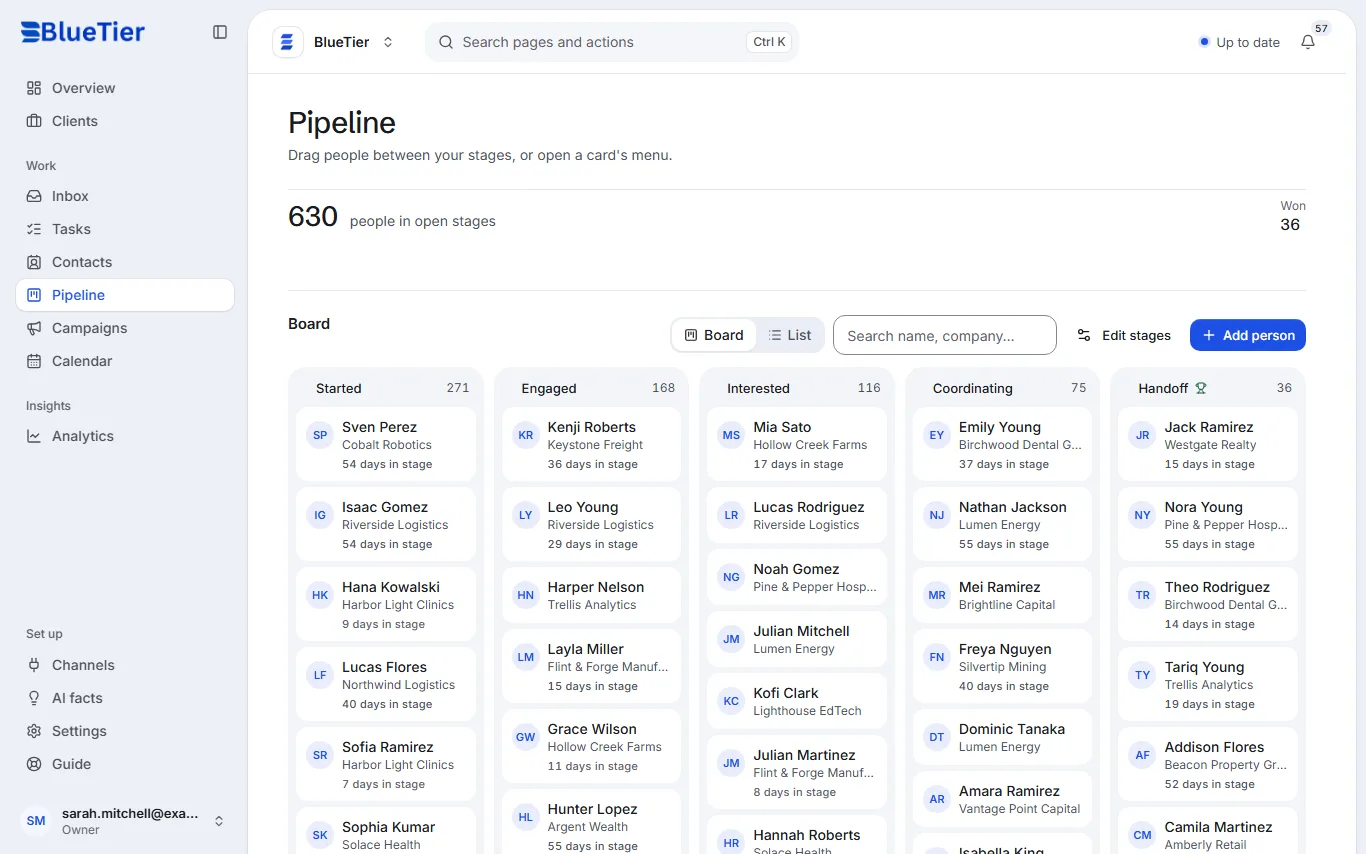
See where everyone in your pipeline stands and move them forward as the conversation grows.
Updated 5 steps
Steps
- Open Pipeline in the sidebar.
- Each column is a stage. By default they are Started, Engaged, Interested, Coordinating and Handoff.
- Drag a card to another column to move that person, or open the card's menu.
- Switch between Board and List, or search by name or company.
- To rename the pipeline, or to rename, add, reorder or remove its stages, choose Edit stages.
What you will see
The card sits in its new column and each column's count updates. The top of the page shows how many people are in open stages, and how many are won.
Good to know
- When a new lead shows buying or partnership interest, the AI moves that person forward on its own: never backwards, and never to closed without you.
Related articles
Still stuck?Contact support at info@bluetier.ai and the BlueTier team will help.