
Disconnect an account
Remove an account you no longer want in BlueTier, and know exactly what happens to its history.
Updated 3 steps
Steps
- Open Channels in the sidebar.
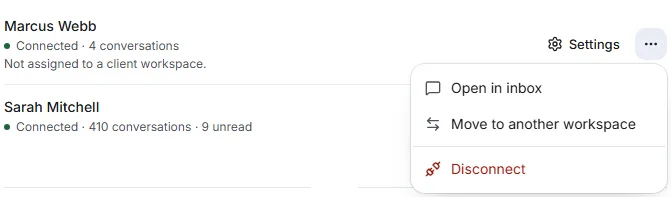
- Find the account, open its ⋯ menu and choose Disconnect.
- Read what will happen, then choose Disconnect and remove, or Keep connected to change your mind.
What you will see
The account is signed out of BlueTier everywhere and stops sending at once. Campaigns running on it stop too.
Good to know
- Its conversations stay readable for 30 days, then they are permanently deleted.
Related articles
Still stuck?Contact support at info@bluetier.ai and the BlueTier team will help.