
Fix an account that needs you
When an account's sign-in runs out, it stops sending and receiving until you sign in again. It takes a minute.
Updated 5 steps
Steps
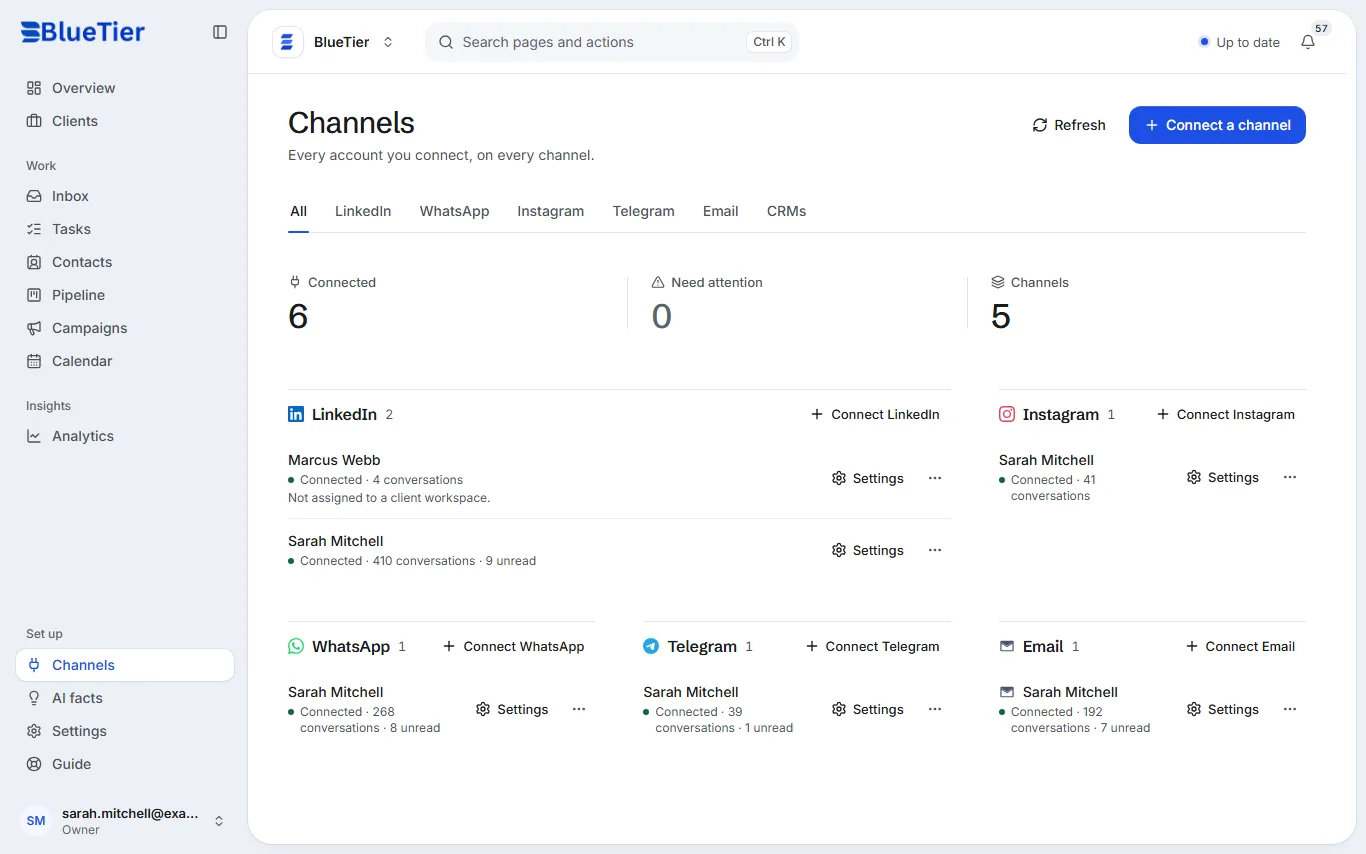
- Open Channels in the sidebar. Need attention at the top counts the accounts to fix.
- Find the account marked Reconnect needed or Error.
- Choose Sign in again on its card.
- Sign in on the channel's own screen, the same way you connected it the first time. For WhatsApp and Telegram, scan the new QR code.
- Choose Refresh at the top of the page.
What you will see
The account shows Connected again, and its messages start arriving in your inbox.
Good to know
- While an account needs attention, a campaign on it pauses and says why.
- Still stuck? Email info@bluetier.ai and say which account it is.
Related articles
Still stuck?Contact support at info@bluetier.ai and the BlueTier team will help.