
Keep track of follow-ups
Never lose a promised reply: every follow-up is a task linked to its conversation.
Updated 5 steps
Steps
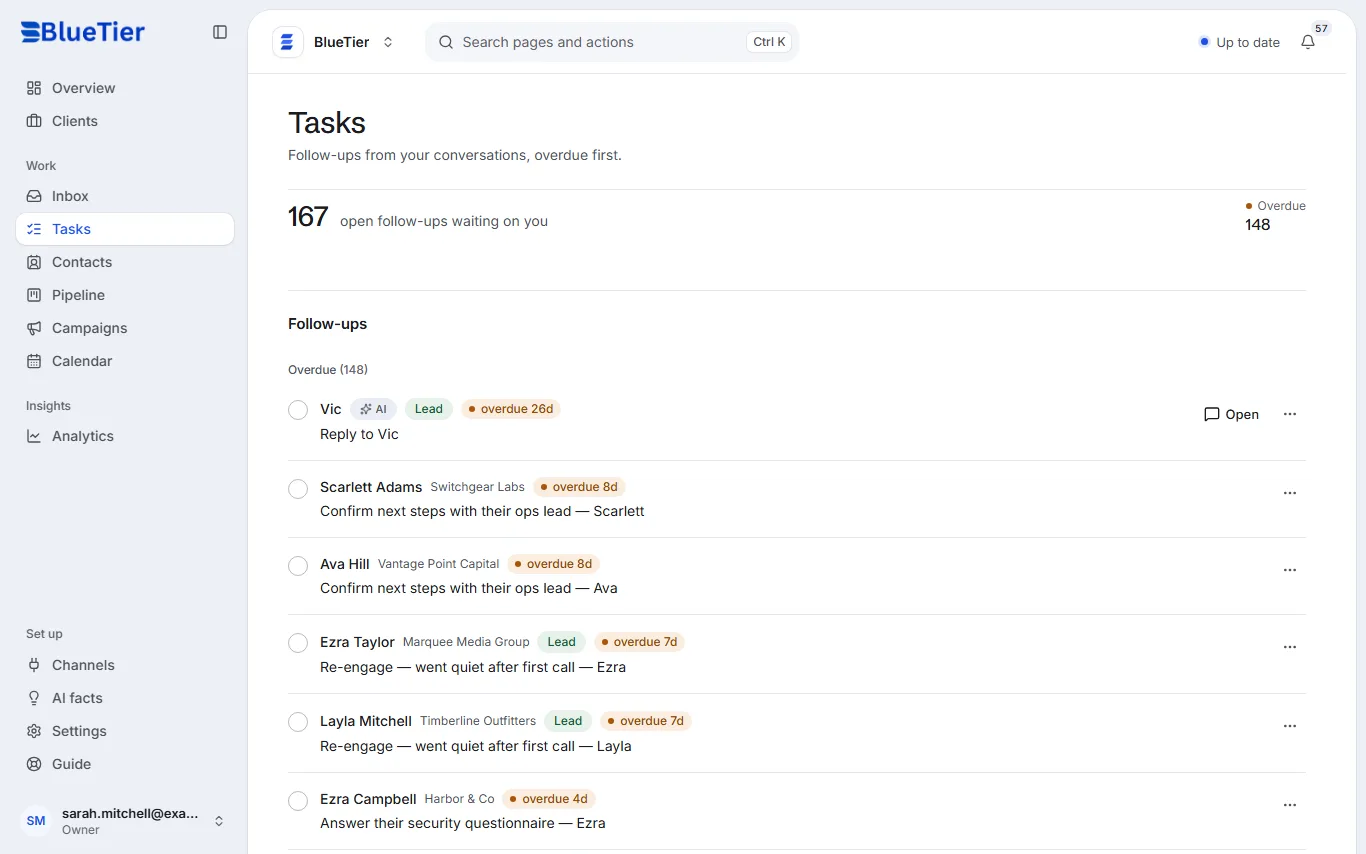
- Open Tasks in the sidebar. Your open follow-ups are listed, overdue ones first.
- Choose Open on a task to go straight to its conversation.
- When it is done, tick the circle at the start of the task.
- To add your own, open a conversation and type in Add a follow-up…: in the panel beside it, or under More actions (⋯).
- On Overview, Needs you now tells you how many tasks are due today.
What you will see
A finished task leaves the list, and the count at the top shows how many follow-ups are still waiting on you.
Good to know
- When a new lead asks something only you can answer, the AI adds the task for you. Those tasks carry an AI tag.
Related articles
Still stuck?Contact support at info@bluetier.ai and the BlueTier team will help.