
Connect your email
Connect Gmail, Outlook or any other mailbox, so email sits in the same inbox as your other conversations.
Updated 5 steps
Steps
- Open Channels in the sidebar, then choose Connect a channel.
- Choose Gmail for Gmail or Google Workspace, Outlook for Outlook or Microsoft 365, or Other email for any other mailbox.
- For Gmail or Outlook: choose your account and allow access to read and send mail.
- For Other email: enter the incoming (IMAP) and outgoing (SMTP) server, your address and the password your mail provider gave you. Your provider's help pages list these.
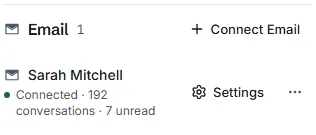
- Return to BlueTier. The mailbox appears under Email as Connected.
What you will see
Your emails arrive in your inbox, and replies go out from your own address.
Good to know
- Email is inbox-only for now: messages arrive and the AI can answer them, but campaigns do not run on email.
Related articles
Still stuck?Contact support at info@bluetier.ai and the BlueTier team will help.